 Jeetech Studio
BlockDay - Time Blocking
Fast time blocking with a simple time block planner. Offline, no account.
Get it free on Google PlayScreenshots
About BlockDay
Time blocking made instant with BlockDay: drag to plan your day in seconds, stay on track with clear alerts, and keep your data on your device by default. It’s a focused time block planner built for people who want a tactile daily flow without sign-ups or clutter.
Why BlockDay
- Plan within 60 seconds of first launch—no account required
- Works offline; your schedule, templates, and stats live on your device
- Reliable reminders with snooze/skip and an always-visible Active Block banner
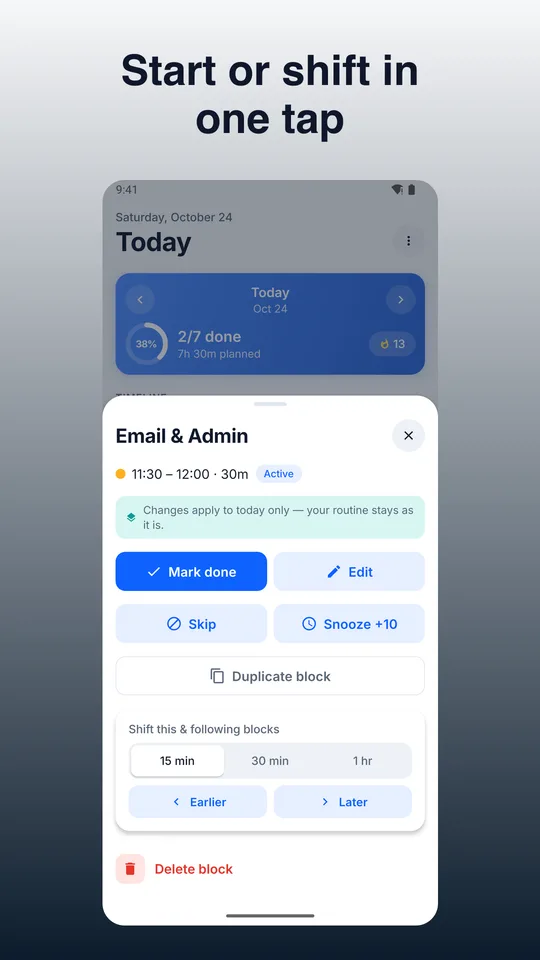
- Fast edits for real life: resize, move, duplicate, rubber-band shift, and gap-fill
- Privacy-first design with optional encrypted cloud sync you control
Core workflow
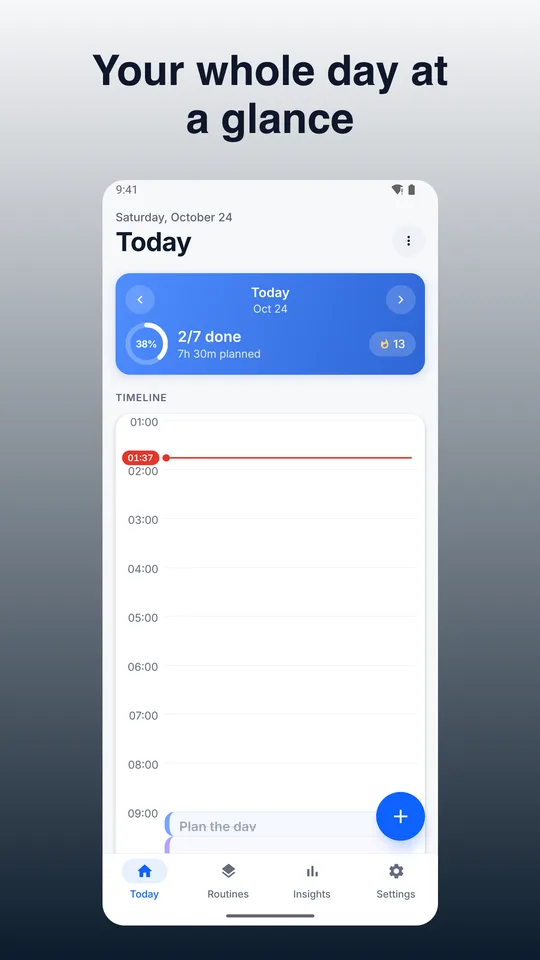
- Drag on a vertical 24h timeline to create blocks with minute precision (snap to 5/10/15)
- Stretch to resize, drag to move; supports overnight blocks
- Color-code activities and add tags for visual clarity and insights
- Tap Start/Done on blocks; see a now/next banner with time left
Key features
- Day Timeline: natural, tactile editing; live snapping, ghost preview, overlap handling
- Color-coded Activities & Tags: accessible presets + custom hues; multiple tags per block
- Reminders & Alarms: on-time local notifications, pre-alert nudges, snooze 5/10/15/30, skip, persistent banner
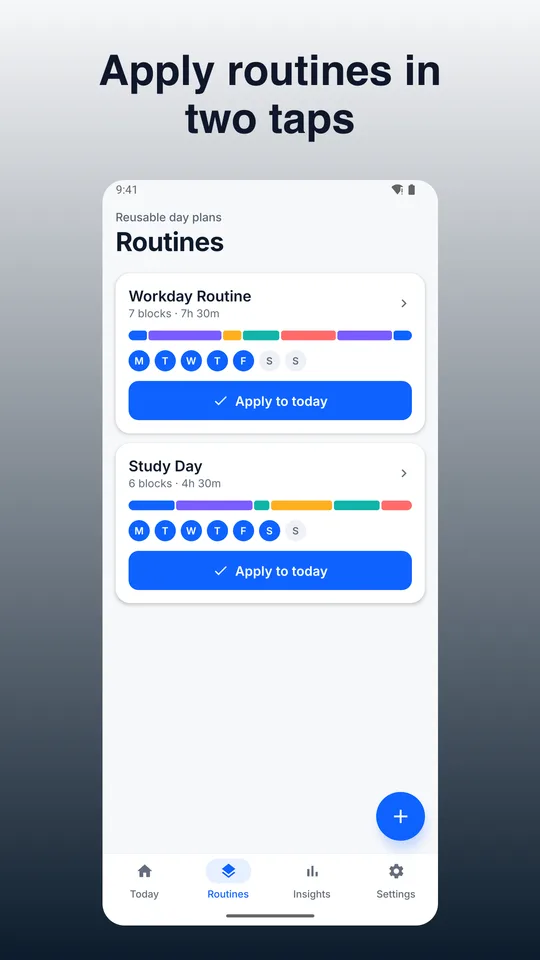
- Templates/Routines: save block sets (durations, colors, tags, nudges), weekday/weekend selectors, stack without overwriting
- Fast Editing Tools: duplicate, multi-select move, rubber-band shift, gap-fill drag, default durations, context menu
- Undo/Redo & Log: unlimited per session; confirmations for destructive actions; exportable activity log
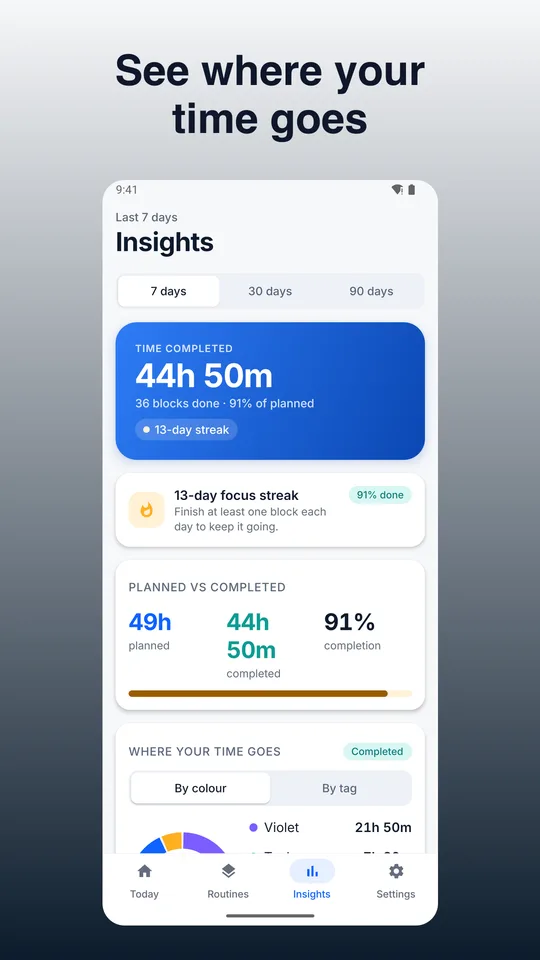
- Statistics/Insights: time by color/tag, planned vs completed, streaks, daily/weekly summaries
- Export/Share: day/week to PNG and CSV; manual local backup/restore file
- ADHD-friendly Cues: active banner, pre-transition ramp, optional full-screen alert
- Themes & Dark Mode: system-following with high contrast and large text option
- Optional Calendar Integration: connect selected device calendars with conflict choices (keep, shift, skip)
- Optional AI Plan Helper: paste a task list to draft a day plan; review and insert selected blocks
What’s free
- Core time blocking: create, move, resize, duplicate, multi-select
- Templates and routines (create/apply/stack)
- Reminders, pre-end nudges, Active Block banner, optional full-screen alert
- Insights basics: distribution by color/tag, planned vs done, streaks
- Manual backup/restore, PNG/CSV export
- Dark mode, large text, undo/redo
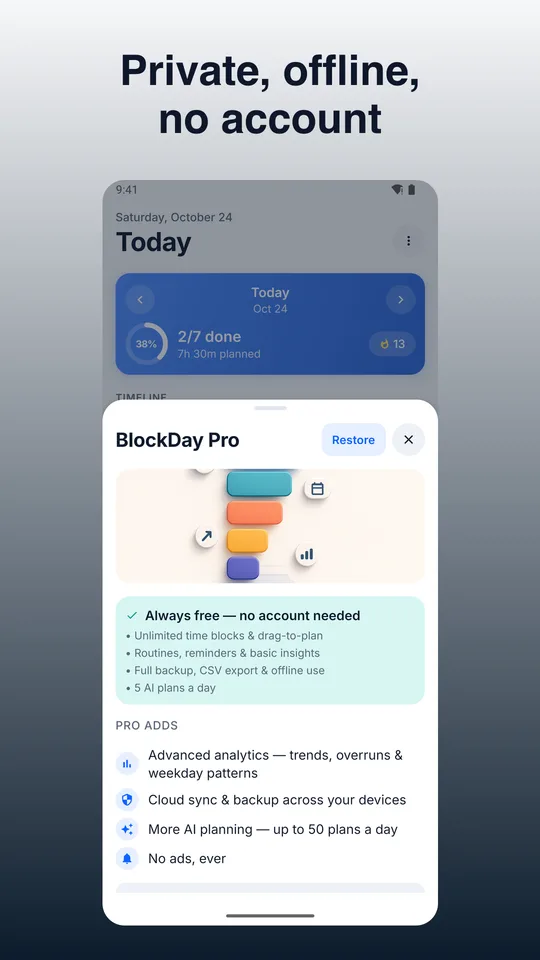
- Optional minimal ads (never during an active block)
What Pro adds (one-time or subscription options)
- Advanced analytics: trends over 7/30/90 days, overrun rates, weekday patterns; export insights CSV
- Customizable widgets and theme packs
- Higher quota for AI Plan Helper
- Optional cross-device cloud sync and two-way calendar integration (monthly/annual with trial; cancel anytime)
Privacy & control
- Offline-first: data stored on your device by default
- Optional login only for cloud sync (email code; no passwords)
- Minimal, toggleable analytics; no trackers in Pro
- Exports available; backups stay where you save them
Accessibility
- Large touch targets, Dynamic Type, high-contrast themes
- VoiceOver/TalkBack labels for timeline and actions
Built for focus, speed, and trust. If you want a time blocking app that respects your flow and your privacy, try BlockDay today.
Guides & articles
How to Use BlockDay - Time Blocking: A Beginner's GuideLearn how to plan your day with BlockDay, an offline time block planner with no account needed. Setup, workfloTime Blocking: How It Works and How to Start TodayLearn what time blocking is, how to set it up in 10 minutes, and how to avoid common mistakes. Plus how BlockD
 Couple Photo maker: CoupleShot
 Floria: Mood Journal & Tracker
 Kora
 Budget Planner: Envelope Mini